
Logging your volunteer hours
On this page
Sign inLog your hoursCredit your programs and submitAfter you submitYour history, and fixing an entryQuestionsMuleriders Serve is where you log volunteer hours once and have them count for every program that asks for them: Volunteer Services, your Freshman Seminar section, your residence hall, your team, Next Step and Greek Life. Each office pulls its own report, so there's nothing to email or turn in.
Sign in
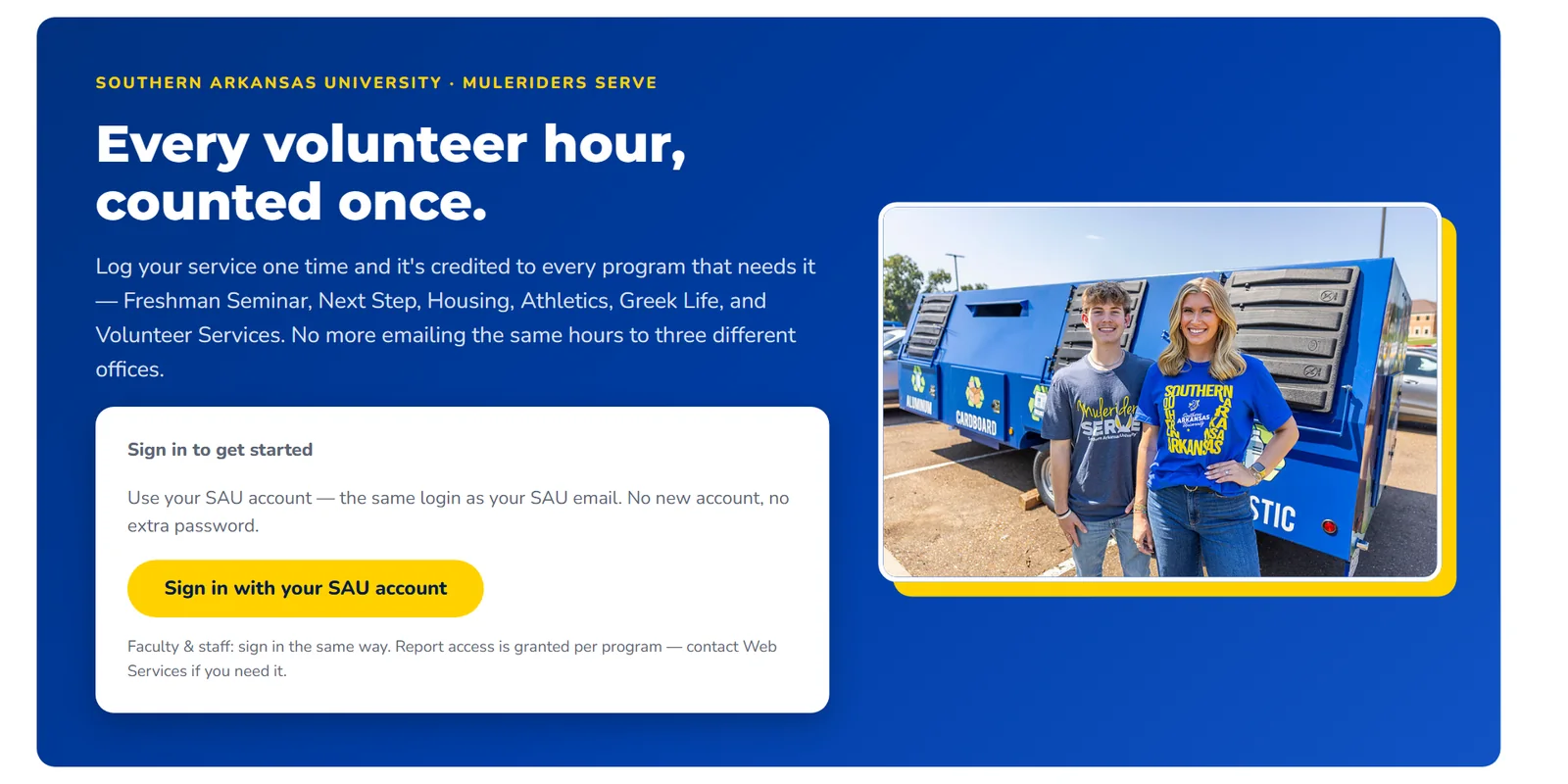
- Go to saumag.edu/volunteer/serve and click Sign in with your SAU account. It's the same Microsoft sign-in as your SAU email, so there's no new account or password.
After you sign in you'll see the menu bar at the top: Submit Hours, My History and Guides. It works on your phone too.
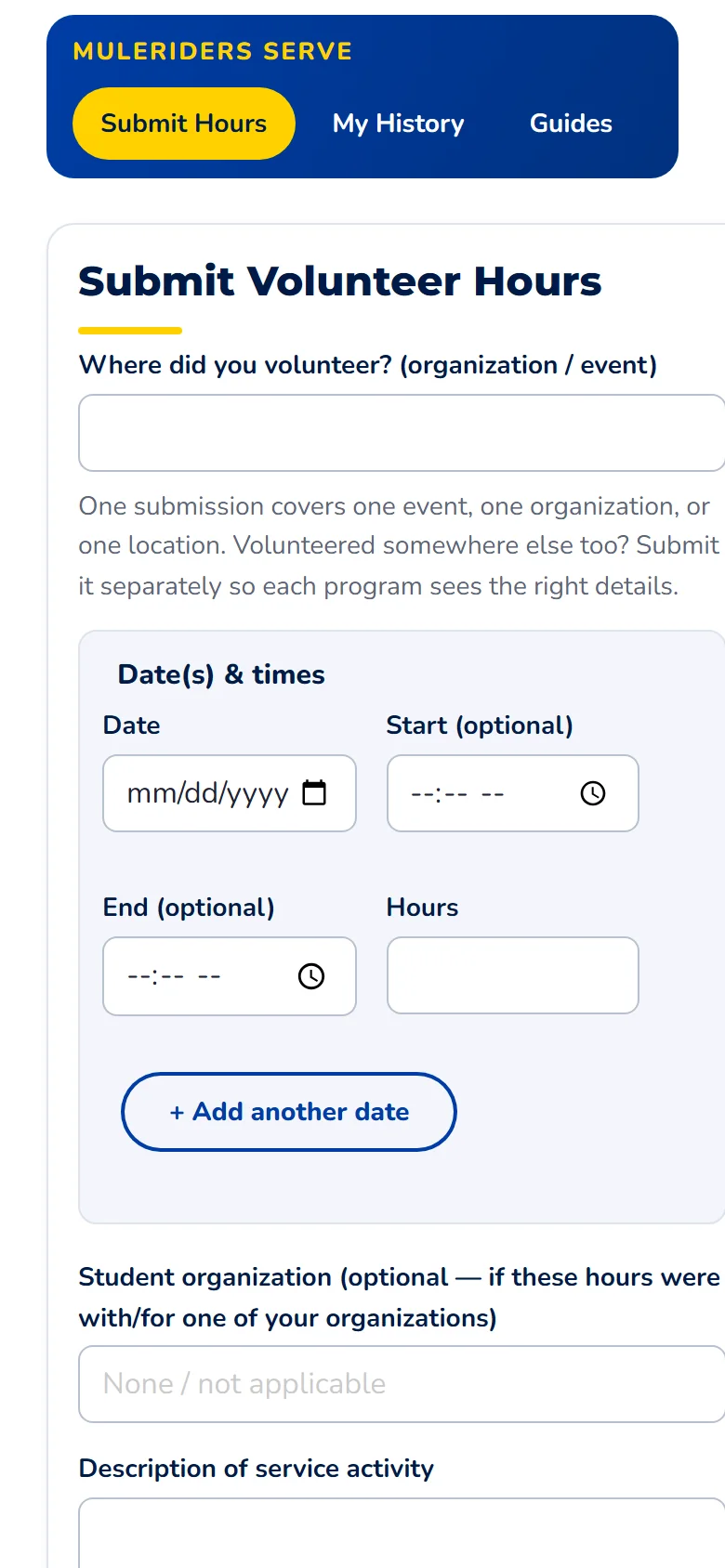
Log your hours
One submission is one event, one organization or one place. If you volunteered at two different places, submit each one separately so each program sees the right details. If you went to the same place on several days, put them all in one submission with + Add another date.

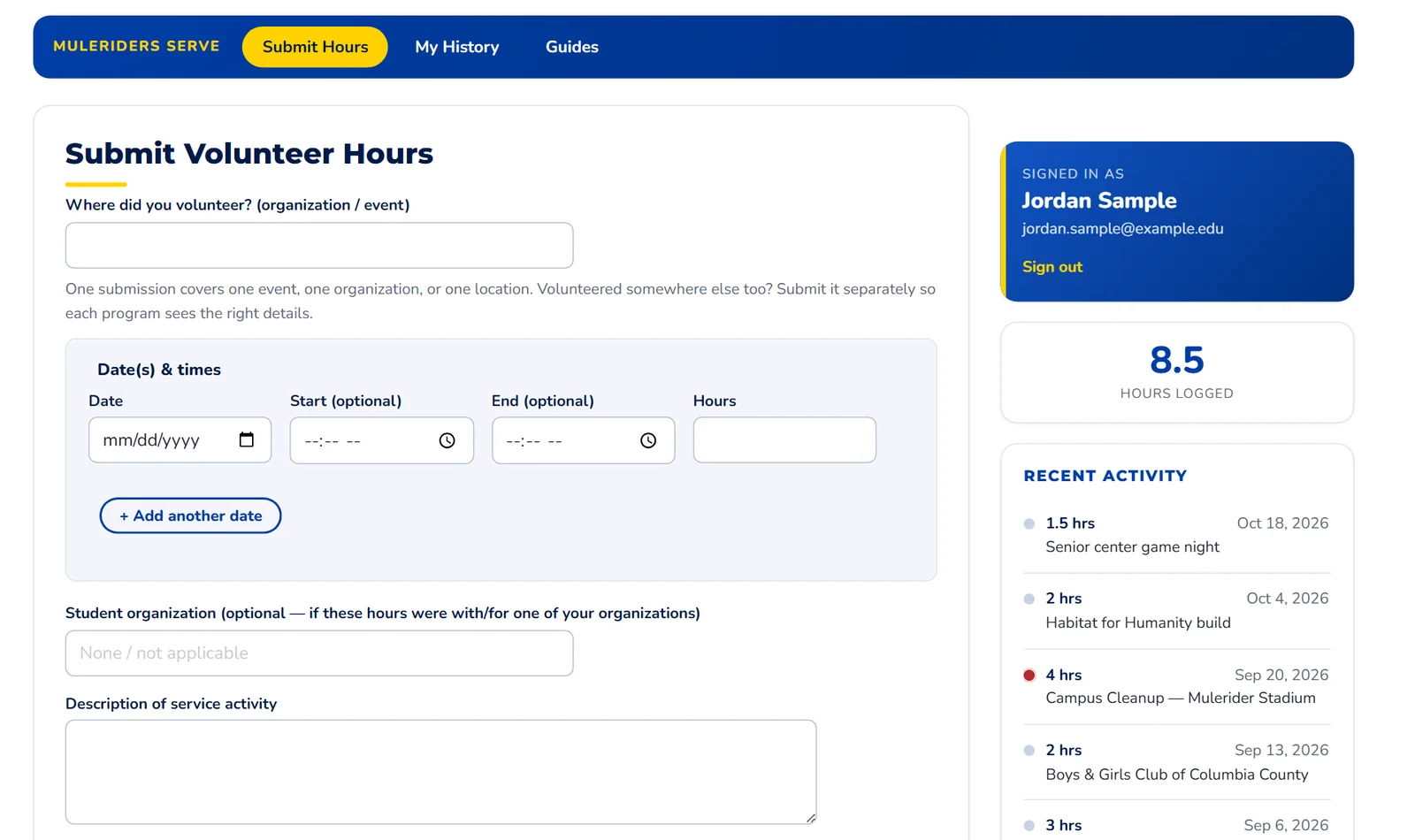
- In Where did you volunteer? (organization / event), type the place or event, like "Magnolia Food Pantry".
- Pick the Date. Start (optional) and End (optional) are there if you want them.
- Hours fills in from the start and end times, rounded to the quarter hour. You can also type the hours yourself (up to 24 for one day).
- Same place on another day? Click + Add another date for another row. Use the × at the end of a row to remove it.
- If you volunteered with or for one of your student organizations, pick it under Student organization. Start typing to search, for example "Phi". Leave it empty if it doesn't apply.
- Under Description of service activity, say what you did in a sentence or two.
Credit your programs and submit

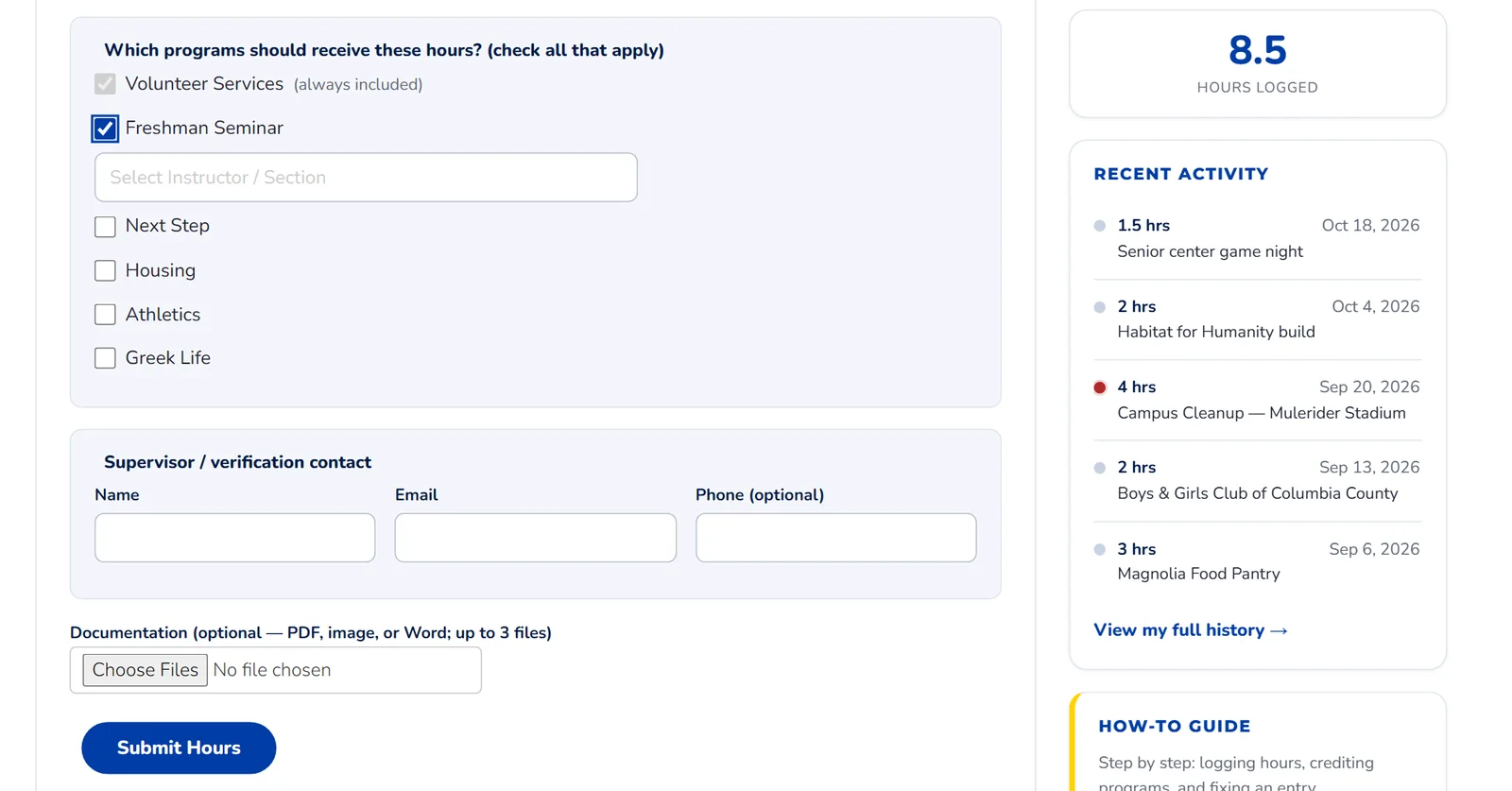
- Volunteer Services is always included, so every hour you log counts there.
- Check every other program these hours should count for. Freshman Seminar, Housing and Athletics each ask which section, hall or team. For your Freshman Seminar section, type your section number or your instructor's name and pick it from the list. Your instructor only sees hours tagged with their section.
- Under Supervisor / verification contact, give the name and email of someone who can confirm you were there. Phone is optional.
- Documentation is optional. If a program asks for proof, attach up to 3 files: PDF, photo or Word, up to 10 MB each.
- Click Submit Hours.
Greek Life: check Greek Life and pick your chapter under Student organization. The chapter comes from that field, so there's no separate chapter picker.
After you submit
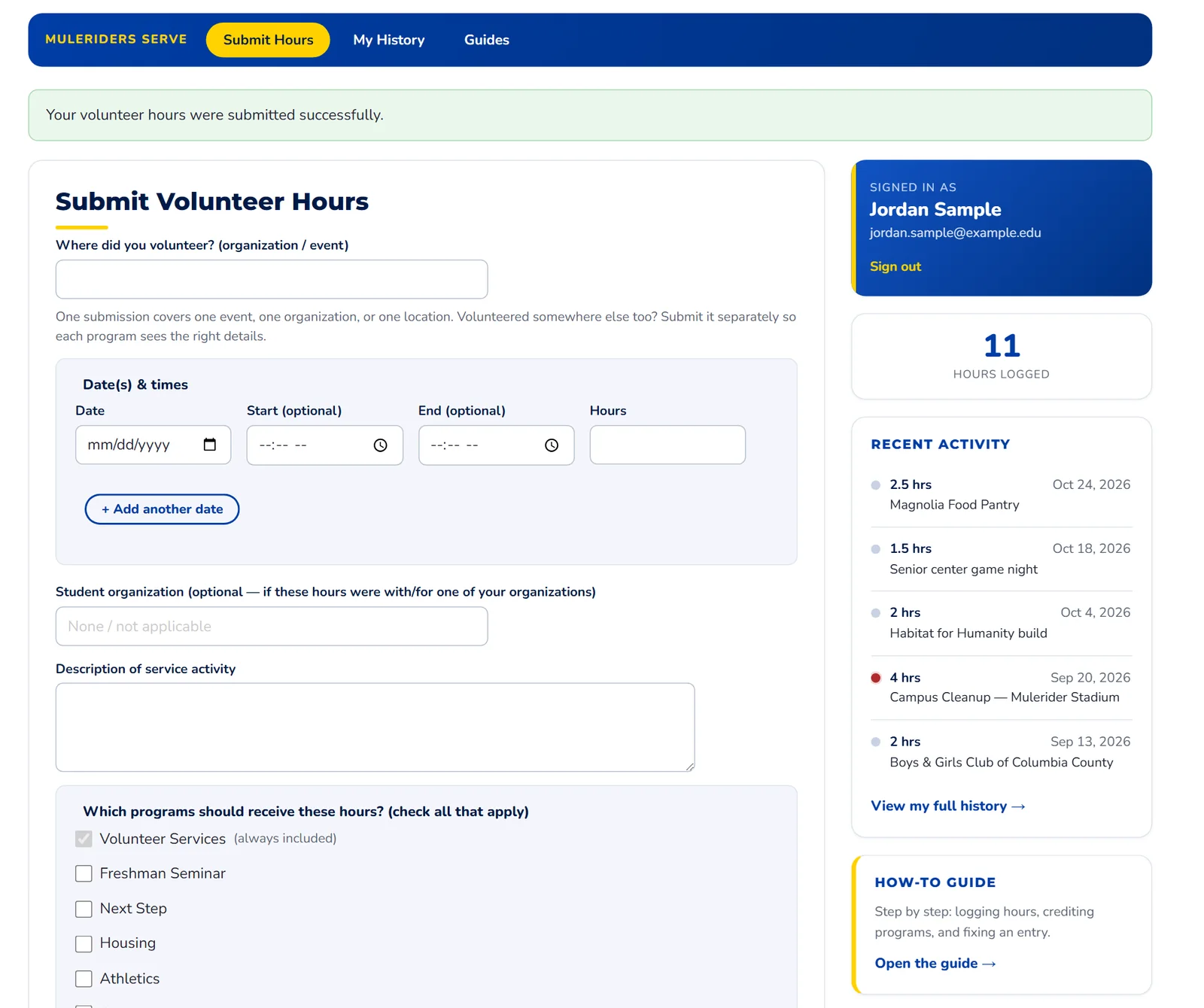
- You'll see Your volunteer hours were submitted successfully. Your hours count right away; there's no waiting for approval.
- Hours logged is your running total. Entries that weren't accepted don't count toward it.
- Your newest entries show under Recent Activity. View my full history opens all of them.
- This guide is linked from the sidebar whenever you need it.
Your history, and fixing an entry
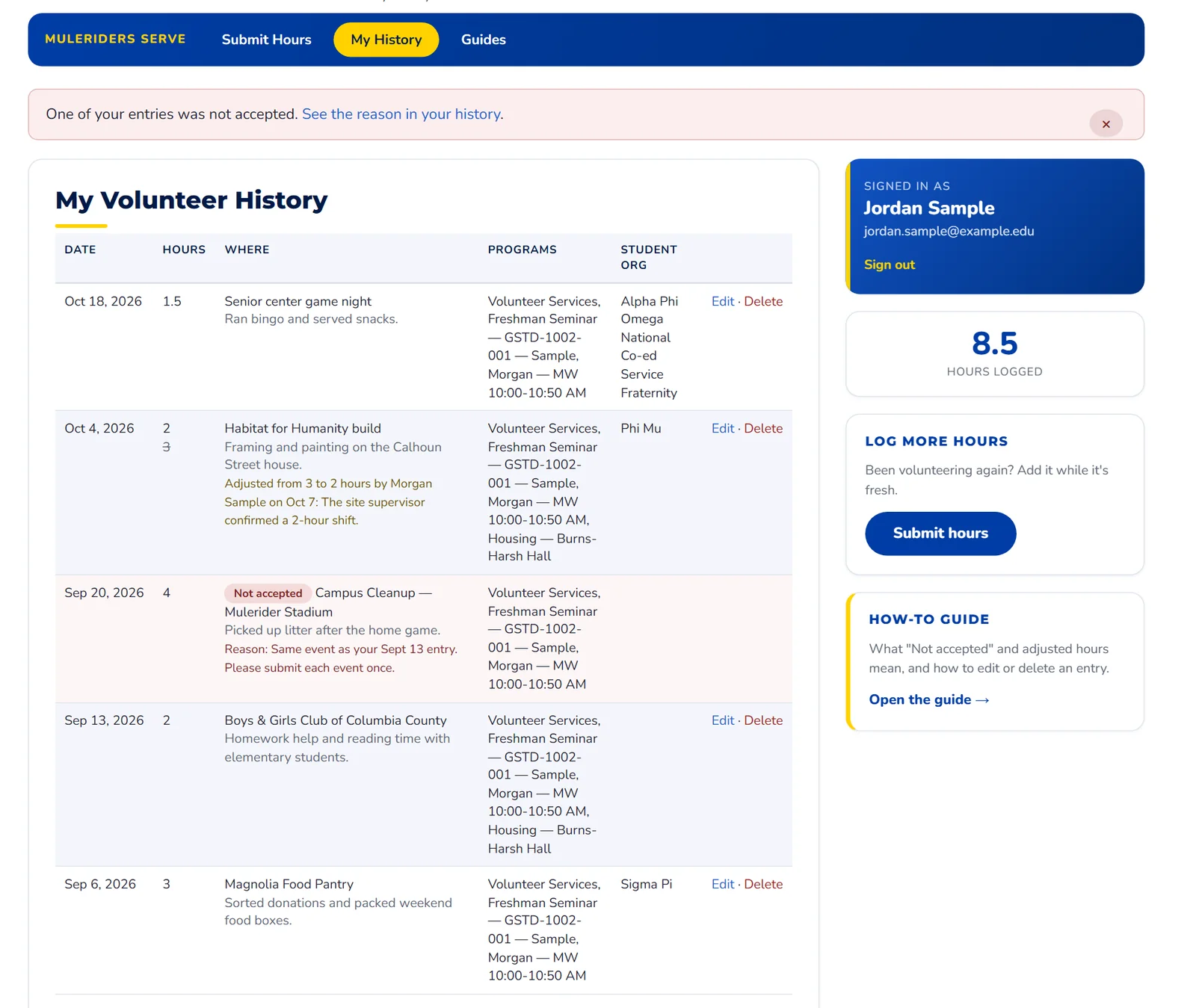
- If staff didn't accept an entry, a notice shows at the top until you close it with the ×. It comes back only if another entry isn't accepted.
- The entry is marked Not accepted, with the reason. You'll also get an email with the reason, and replying to it reaches the staff member who reviewed it. You can't edit a Not accepted entry; if something was wrong, submit a corrected one.
- If staff corrected your hours, the new number shows with the original crossed out, plus who changed it and why. You'll get an email about that too. You can't change those hours back yourself; reply to the email if you think it's wrong.
- Edit opens the entry in the form. Change what you need and click Save Changes. Each date is its own entry, so edit them one at a time.
- Delete removes the entry after you confirm.
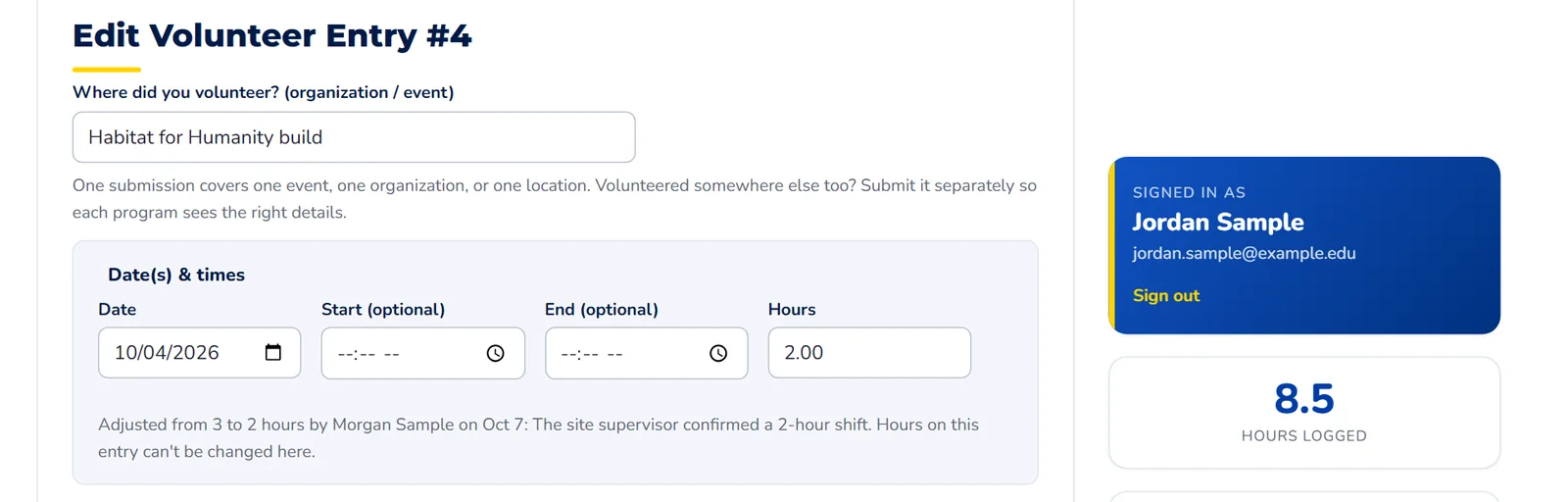
- When staff have adjusted an entry, its Hours box is locked. You can still fix the other details.
- The line underneath says what changed and why.
Questions
- I forgot to check a program. Click Edit on the entry, check the program (and your section or hall), then Save Changes.
- My Freshman Seminar instructor can't see my hours. Make sure the entry has Freshman Seminar checked and your own section picked.
- Can I log hours from last semester? Yes. Use the date you volunteered.